9:41
Connected
TapTiller
Phone grid synced
 TapTiller
Your Mac, on your iPhone.
Pair your iPhone with your Mac, build a custom control grid, and launch apps, shortcuts, websites, media controls, and Home accessories with a tap.
Connect iPhone
Spatial by design
TapTiller is built around a simple idea: the controls you use all day should be visible, reachable, and calm. The interface keeps the Mac in focus while your iPhone becomes a polished surface for quick actions.
Built for flow
Your Mac waits for a nearby iPhone on the same Wi-Fi network and shows a short pair code.
Choose the Mac, type the six digit code, and your phone receives the current control grid.
Launch Mac apps, run shortcuts, control media, open websites, and reach Home accessories.
Made for iPhone
Pin the Mac apps you reach for most and open them from a clean, touch-first grid.
Trigger window actions, keyboard shortcuts, media controls, and shortcut groups instantly.
Create multiple pages for design, writing, media, meetings, websites, and home controls.
No remote desktop clutter. Just direct, focused commands that help your current task.
Everything important, one thumb away
Pin Mac apps into pages and open the right tool from your iPhone without leaving your desk flow.
Create command tiles for keyboard shortcuts, window actions, and app-specific workflows.
Play, pause, skip, mute, and adjust volume with large, glanceable controls.
Open favorite URLs from the same grid you use for apps and shortcuts.
Bind lights, fans, shades, outlets, and other Home accessories into your control pages.
Use compact or expanded layouts, move pages, customize tile colors, and make the grid yours.
Screenshots
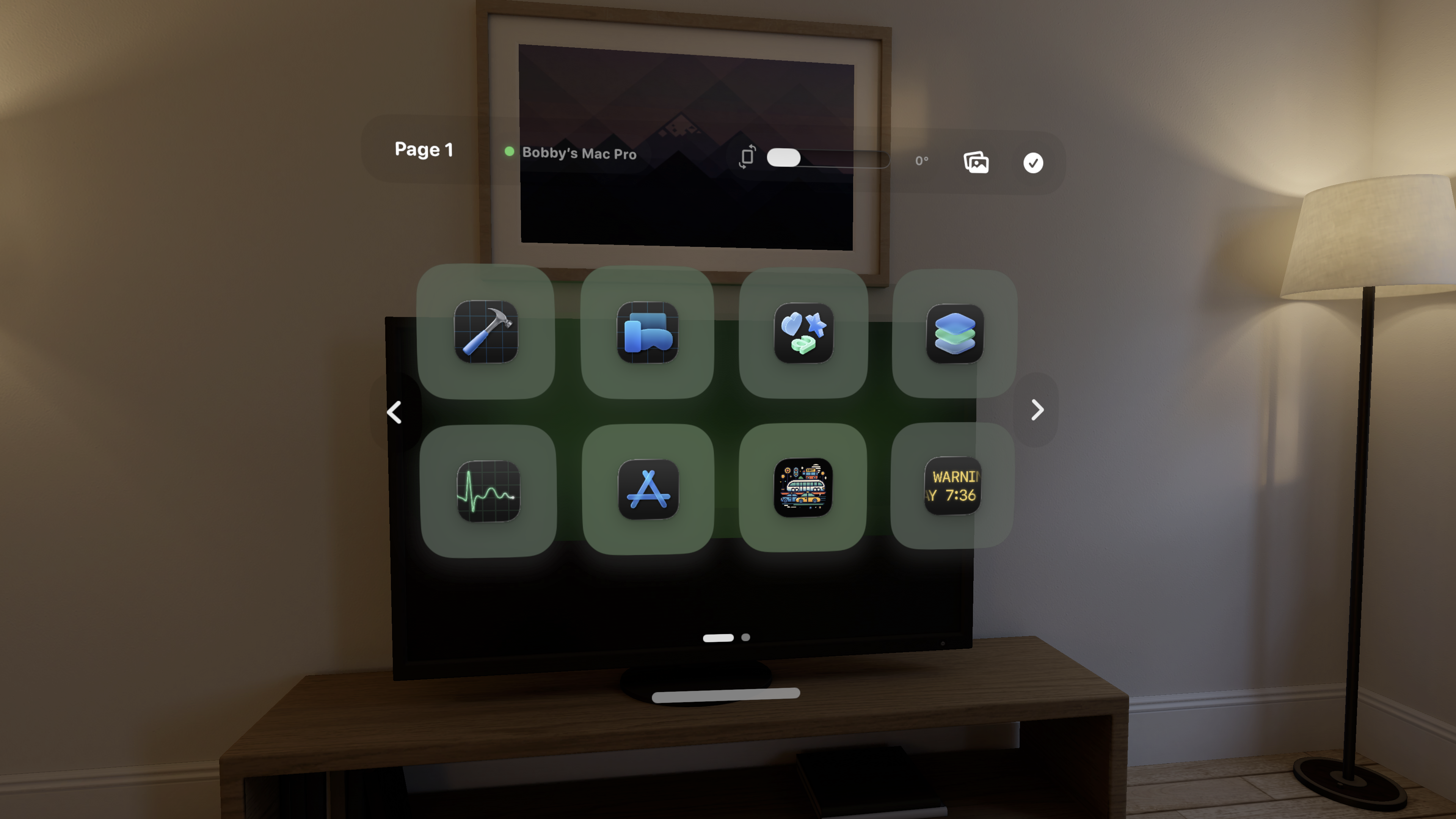
TapTiller can present your controls in a calm, floating layout made for quick selection.
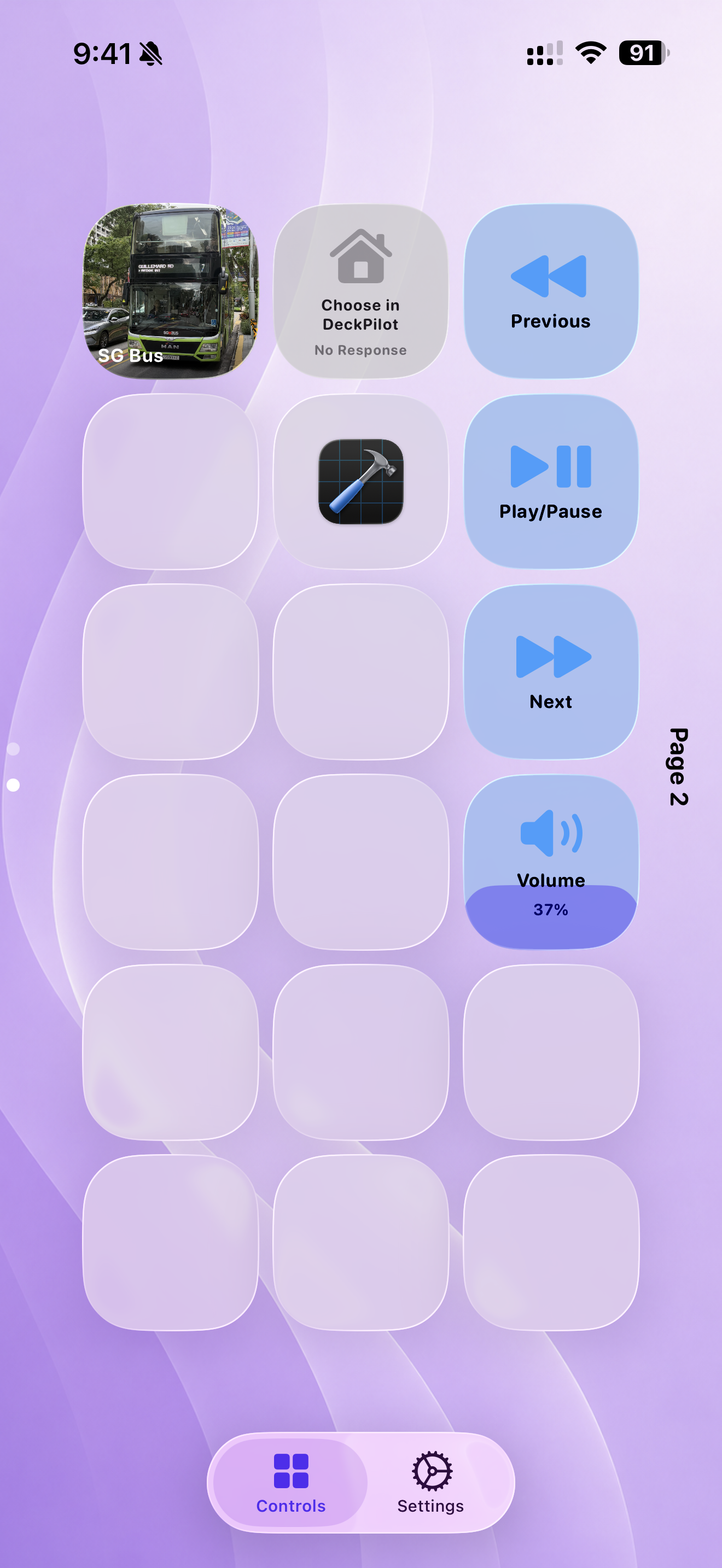
Mix apps, websites, widgets, Home tiles, single shortcuts, and shortcut groups.
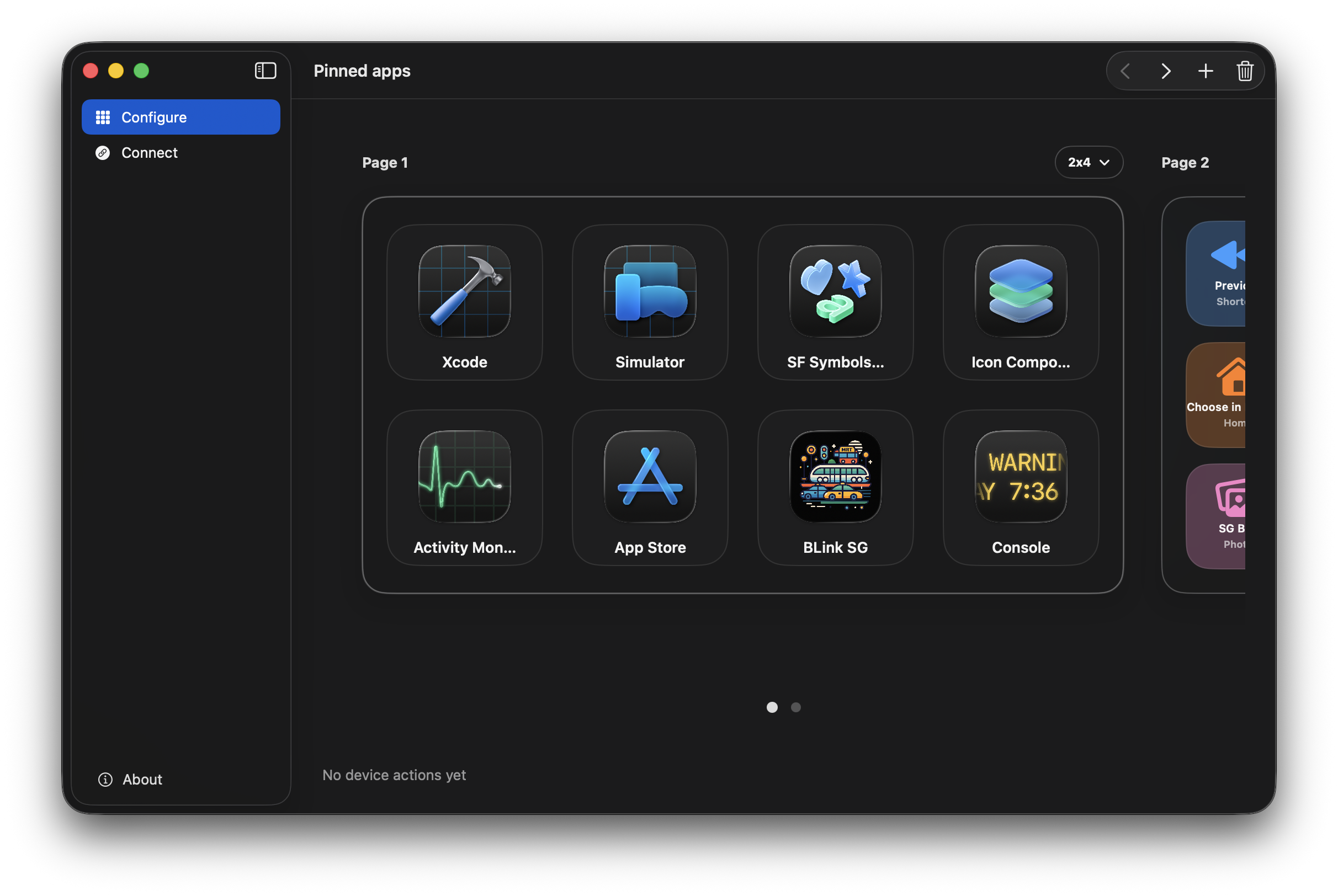
The Mac portal lets you arrange pages, choose apps, set tile colors, and send the layout.
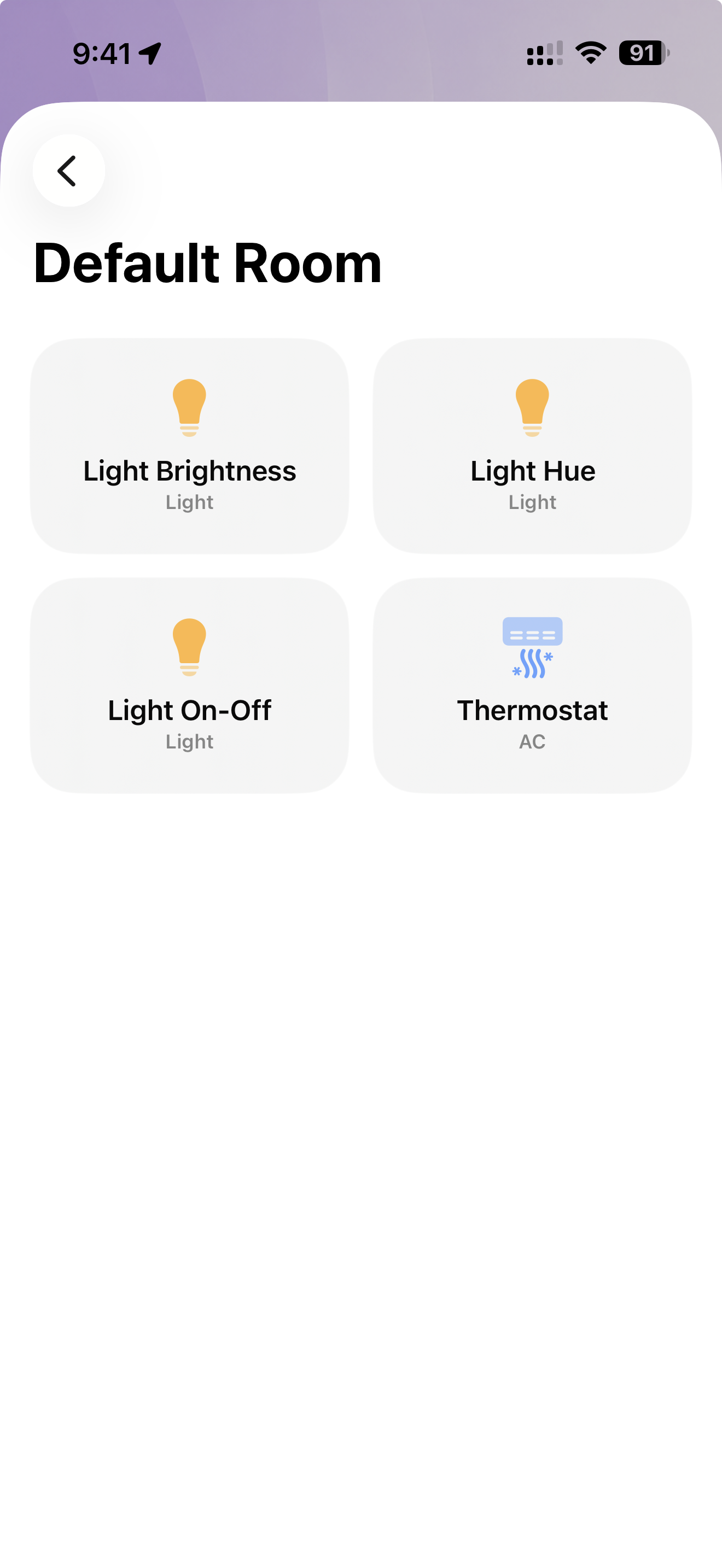
Use compatible Home accessories beside app and media controls for a complete desk setup.
Designed for touch
TapTiller is focused on fast intent: big tiles, tactile feedback, page dots, shortcut groups, and a layout that stays comfortable in portrait or landscape.
A faster way to jump, trigger, play, pause, open, close, and control.